Bambu P1P Right Available Cert Required
Back to Equipment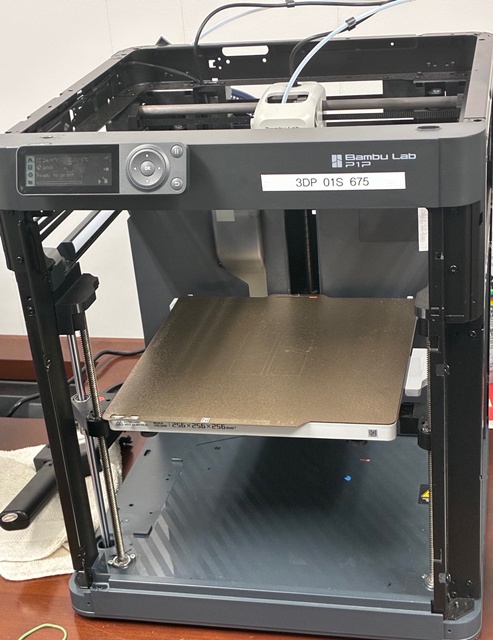
Description
The Bambu P1P CoreXY is a high-performance desktop 3D printer built around a CoreXY motion system for fast, precise movement. It features a rigid aluminum frame, belt-driven XY gantry, and direct drive extruder that excels with a wide range of materials including PLA, PETG, TPU and many nylons. With high acceleration and speed potential, it delivers smoother, faster prints than typical Cartesian designs while maintaining accuracy. Key capabilities include strong dimensional accuracy, good surface finish, and the ability to handle moderately flexible filaments. It's suitable for hobbyists through prosumers who want reliable everyday printing with CoreXY efficiency and performance.
Specifications
Manufacturer
Bambu
Model
P1P .04 Hardened Steel
High-Speed & Precision Printing
FDM / FFF 3D printing technology
CoreXY motion system for rigid, accurate movement
Maximum build volume: 256 × 256 × 256 mm
Very high print and travel speeds (up to ~500 mm/s capability)
High acceleration for fast non-print moves
Suitable for rapid prototyping and dimensionally accurate parts
Extrusion System & Material Capability
Direct-drive extruder (short filament path)
Standard installed nozzle: 0.4 mm hardened steel
Maximum nozzle temperature: 300 °C
Supports standard filaments: PLA, PLA+, PETG
Supports engineering filaments: ABS, ASA, TPU, Nylon (PA)
Supports abrasive filaments: PLA-CF, PETG-CF, PA-CF, glass-fiber, glow-in-the-dark
Hardened nozzle resists wear from abrasive materials
Thermal Control, Bed & Cooling
Heated build plate up to 100 °C
Build plate size: 256 × 256 mm
Textured PEI build surface for strong adhesion
High-flow part cooling system for clean overhangs and PLA performance
Open-frame design (not enclosed by default)
Enclosure recommended for ABS and ASA to reduce warping
Electronics, Software & User Features
32-bit motion controller
Automatic calibration and vibration compensation
Filament runout detection
Operated via Bambu Studio slicer software
Print transfer via Wi-Fi, LAN, or SD card
Optional camera support for remote monitoring
Suitable for beginner through advanced users using preset profiles
Training Video
Safety Video
Usage Instructions
- Power on the printer
- Load filament into the AMS
- Open Bambu Studio and slice your model
- Send the print job to the printer
- Monitor the first layer
- Clean up when complete
Certifications Required
- 3D Printing Certification (Category)